Run your golf simulator facility completely unmanned — online booking, payments, member management, digital waivers, and full building automation, all on a device you own outright. No monthly software fees. Ever.
Demo it here https://babookingsandbox.com/
This is a complete, self-hosted booking and automation platform purpose-built for unmanned 1–6 bay golf simulator facilities. Your customers book and pay online, sign your waiver, get their door code automatically, and the system handles the rest — turning the bay on when their session starts, locking the door behind them, and shutting everything down at close.
It arrives pre-built, pre-configured, and ready to run. We find and register your domain, build the device, load your software, connect your accounts, and lock it to your hardware. You plug it into your network and you're live. There are no servers to manage and nothing to install.
One purchase. You own the hardware and the software. The only ongoing costs are the third-party services you choose to connect — never a platform fee to us.
What It Does
Online Booking Built for Self-Service
Your customers book and pay in a few taps, with no staff involved.
Book by bay or by time — customers choose whichever way they think
Real-time availability so people only ever see open slots
Automatic, conflict-free bay assignment — two customers can never land on the same bay at the same time
Flexible hours and session lengths — set your open/close, session limits, and buffers; supports late-night hours past midnight and full 24/7 operation
Time-based pricing — charge more at peak hours and weekends, less on weekday mornings, with as many pricing windows as you want
Discount codes — one-time or limited-use promo codes for marketing and comps
Sales tax calculated and shown at checkout
Confirmation emails on every booking, plus optional text reminders with the door code
Digital Waivers — Signed Before They Ever Walk In
Every customer agrees to your liability waiver as part of booking, so there's no clipboard at the door and no unsigned guests in your building.
Upload your own waiver — use the exact liability language your insurer or attorney requires. Upload it as a document, give it a name and version, and set it as the active waiver.
Signed during checkout — before payment goes through, the customer reads your waiver, types their name to sign, and checks the agreement box. No signature, no booking.
A permanent signed record is stored for every booking — who signed, which waiver version, and the exact date and time. Because it's tied to the version they actually saw, updating your waiver later never rewrites what past customers agreed to.
Look up any signature by customer or by booking, download an individual signed record, or bulk-export an entire quarter in one click for your files, your insurer, or an incident review.
Version-safe — the system won't let you delete a waiver that customers have signed, so your records stay intact.
Membership & Member Tracking
Build recurring revenue and reward your regulars with a full membership system.
Create your own membership tiers, each with its own pricing and perks
Member discounts applied automatically at booking
Priority privileges — extended booking windows and higher active-booking limits for members
PIN-based member check-in so members are recognized instantly
Per-tier rules — restrict certain tiers to specific days, times, or bays
Booking limits enforced automatically (e.g. max active reservations per member)
Member portal where each member can log in to see their tier, their usage, and their upcoming bookings
Note: memberships control pricing and booking privileges — not a separate door system. Access stays simple and unified for everyone.
Building Automation — The Part That Makes "Unmanned" Actually Work
This is what lets you leave the facility running on its own, day and night.
Automated door access via RemoteLock — a unique, time-limited entry code is issued for every booking, including last-minute and late-night reservations
Automatic power control via Shelly smart plugs — the bay powers on for the session and off when it's done
Equipment control via BroadLink IR — turn on TVs, projectors, and AC units, or anything with a remote
Home Assistant integration as a catch-all for any other smart devices you want to tie in
Live session monitoring on your simulator PCs
Automatic close-time shutdown so nothing is left running overnight — with a per-bay override when you need it
Smart shared-equipment protection — if one device (like an AC serving two bays) is shared, the system won't shut it off while another bay is still in an active session
Owner Tools
Everything you need to run the business, in one admin panel.
Full admin dashboard — manage bookings, members, pricing, hours, waivers, and settings
Revenue and analytics so you can see how the facility is performing
Built-in local SEO — structured data and search optimization so your facility gets found online
Automatic nightly backups, plus one-click backup and restore any time
Guided setup that walks through configuration step by step
How Setup Works
We do the technical work so you don't have to. Here's what to expect, start to finish.
1. You buy the system. Everything below is included in your purchase.
2. We help you set up your accounts. A handful of outside services need to be in your name (they handle your money, your customers, and your door). We walk you through creating them and connecting them — Stripe for payments, Resend for email, RemoteLock for your door, and Twilio for text messages. (See "What You'll Need to Provide" below.)
3. We find and register your domain — six years, free. We help you pick an available web address that fits your business, then we register it and prepay six years of registration for you as part of the package. The domain is transferred into your name, so you own it outright — it's yours, not ours. No domain bill for you for six years.
4. We build and lock your device. We assemble your dedicated device, load your software, connect all your accounts, configure your hours and pricing, publish your domain, and lock the software to your specific hardware.
5. You plug it in. Your device ships ready to run. Connect it to power and your facility's internet, and your booking site is live. No IT, no installation, no configuration on your end — plug it in and it works.
(Deeper setup and walkthrough videos are on the way. In the meantime, we handle the heavy lifting directly with you.)
What You'll Need to Provide
To be upfront so you know exactly what you're getting into: the platform connects to a handful of outside services and smart devices. You set up the service accounts in your own name, and you install the smart hardware at your facility. We help you connect all of it during setup.
Service Accounts (set up in your name)
Stripe — Takes online payments and deposits. Required.
Resend — Sends booking confirmation emails. Required.
RemoteLock (needs API access) — Powers automated door codes for entry. Required for unmanned access.
Twilio — Sends SMS text reminders and door codes. Recommended.
MessageBird — Backup text provider. Optional.
(Your domain and its web connection are handled by us — see "How Setup Works" above.)
Smart Hardware at Your Facility
RemoteLock smart lock — The internet-connected lock on your entry door. Required for automated access.
Shelly smart plugs — Automate power to each bay. Recommended.
BroadLink IR blaster — Control TVs, projectors, and AC by remote. Optional.
Home Assistant — Tie in any other smart devices you want to automate. Optional.
A Note on Ongoing Costs
There is no monthly fee to BA Custom Products. Your only recurring costs are the outside services you choose to use — for example, Stripe's standard per-transaction processing fees, RemoteLock's subscription for your lock, and Twilio's small per-text charge. You set up those accounts and control those costs directly. Your domain is prepaid for six years. The platform itself is yours once you buy it.
Cold Spare — Optional, and Worth Considering
Because your facility runs unattended, downtime is expensive: locked-out customers, missed bookings, and no one on-site to fix it. The Cold Spare is the fastest possible insurance against that.
It's a second, fully-built and pre-configured device, locked to your account right alongside your main unit. If your main device ever fails, you simply swap in the spare — power it on, or move your storage card over — and you're back up in minutes, with no waiting on a replacement to ship. It's kept ready so a hardware failure never means a closed facility.
If Something Goes Wrong
We built recovery in from the start, and we're honest about how it works:
Your data is always protected by automatic nightly backups and on-demand backups you can download any time.
With a Cold Spare: swap it in and you're running again in minutes.
Without a spare: order a replacement device from us. We build it, configure it, set up your domain, and ship it ready to run — you restore your most recent backup and you're back in business.
Your software is locked to your hardware. Every device is tied to the specific unit we build for you, so your system can't be copied or run on unauthorized machines. If you ever need new or additional hardware, it comes from us — built and locked for you.
Run your golf simulator facility completely unmanned — online booking, payments, member management, digital waivers, and full building automation, all on a device you own outright. No monthly software fees. Ever.
Demo it here https://babookingsandbox.com/
This is a complete, self-hosted booking and automation platform purpose-built for unmanned 1–6 bay golf simulator facilities. Your customers book and pay online, sign your waiver, get their door code automatically, and the system handles the rest — turning the bay on when their session starts, locking the door behind them, and shutting everything down at close.
It arrives pre-built, pre-configured, and ready to run. We find and register your domain, build the device, load your software, connect your accounts, and lock it to your hardware. You plug it into your network and you're live. There are no servers to manage and nothing to install.
One purchase. You own the hardware and the software. The only ongoing costs are the third-party services you choose to connect — never a platform fee to us.
What It Does
Online Booking Built for Self-Service
Your customers book and pay in a few taps, with no staff involved.
Book by bay or by time — customers choose whichever way they think
Real-time availability so people only ever see open slots
Automatic, conflict-free bay assignment — two customers can never land on the same bay at the same time
Flexible hours and session lengths — set your open/close, session limits, and buffers; supports late-night hours past midnight and full 24/7 operation
Time-based pricing — charge more at peak hours and weekends, less on weekday mornings, with as many pricing windows as you want
Discount codes — one-time or limited-use promo codes for marketing and comps
Sales tax calculated and shown at checkout
Confirmation emails on every booking, plus optional text reminders with the door code
Digital Waivers — Signed Before They Ever Walk In
Every customer agrees to your liability waiver as part of booking, so there's no clipboard at the door and no unsigned guests in your building.
Upload your own waiver — use the exact liability language your insurer or attorney requires. Upload it as a document, give it a name and version, and set it as the active waiver.
Signed during checkout — before payment goes through, the customer reads your waiver, types their name to sign, and checks the agreement box. No signature, no booking.
A permanent signed record is stored for every booking — who signed, which waiver version, and the exact date and time. Because it's tied to the version they actually saw, updating your waiver later never rewrites what past customers agreed to.
Look up any signature by customer or by booking, download an individual signed record, or bulk-export an entire quarter in one click for your files, your insurer, or an incident review.
Version-safe — the system won't let you delete a waiver that customers have signed, so your records stay intact.
Membership & Member Tracking
Build recurring revenue and reward your regulars with a full membership system.
Create your own membership tiers, each with its own pricing and perks
Member discounts applied automatically at booking
Priority privileges — extended booking windows and higher active-booking limits for members
PIN-based member check-in so members are recognized instantly
Per-tier rules — restrict certain tiers to specific days, times, or bays
Booking limits enforced automatically (e.g. max active reservations per member)
Member portal where each member can log in to see their tier, their usage, and their upcoming bookings
Note: memberships control pricing and booking privileges — not a separate door system. Access stays simple and unified for everyone.
Building Automation — The Part That Makes "Unmanned" Actually Work
This is what lets you leave the facility running on its own, day and night.
Automated door access via RemoteLock — a unique, time-limited entry code is issued for every booking, including last-minute and late-night reservations
Automatic power control via Shelly smart plugs — the bay powers on for the session and off when it's done
Equipment control via BroadLink IR — turn on TVs, projectors, and AC units, or anything with a remote
Home Assistant integration as a catch-all for any other smart devices you want to tie in
Live session monitoring on your simulator PCs
Automatic close-time shutdown so nothing is left running overnight — with a per-bay override when you need it
Smart shared-equipment protection — if one device (like an AC serving two bays) is shared, the system won't shut it off while another bay is still in an active session
Owner Tools
Everything you need to run the business, in one admin panel.
Full admin dashboard — manage bookings, members, pricing, hours, waivers, and settings
Revenue and analytics so you can see how the facility is performing
Built-in local SEO — structured data and search optimization so your facility gets found online
Automatic nightly backups, plus one-click backup and restore any time
Guided setup that walks through configuration step by step
How Setup Works
We do the technical work so you don't have to. Here's what to expect, start to finish.
1. You buy the system. Everything below is included in your purchase.
2. We help you set up your accounts. A handful of outside services need to be in your name (they handle your money, your customers, and your door). We walk you through creating them and connecting them — Stripe for payments, Resend for email, RemoteLock for your door, and Twilio for text messages. (See "What You'll Need to Provide" below.)
3. We find and register your domain — six years, free. We help you pick an available web address that fits your business, then we register it and prepay six years of registration for you as part of the package. The domain is transferred into your name, so you own it outright — it's yours, not ours. No domain bill for you for six years.
4. We build and lock your device. We assemble your dedicated device, load your software, connect all your accounts, configure your hours and pricing, publish your domain, and lock the software to your specific hardware.
5. You plug it in. Your device ships ready to run. Connect it to power and your facility's internet, and your booking site is live. No IT, no installation, no configuration on your end — plug it in and it works.
(Deeper setup and walkthrough videos are on the way. In the meantime, we handle the heavy lifting directly with you.)
What You'll Need to Provide
To be upfront so you know exactly what you're getting into: the platform connects to a handful of outside services and smart devices. You set up the service accounts in your own name, and you install the smart hardware at your facility. We help you connect all of it during setup.
Service Accounts (set up in your name)
Stripe — Takes online payments and deposits. Required.
Resend — Sends booking confirmation emails. Required.
RemoteLock (needs API access) — Powers automated door codes for entry. Required for unmanned access.
Twilio — Sends SMS text reminders and door codes. Recommended.
MessageBird — Backup text provider. Optional.
(Your domain and its web connection are handled by us — see "How Setup Works" above.)
Smart Hardware at Your Facility
RemoteLock smart lock — The internet-connected lock on your entry door. Required for automated access.
Shelly smart plugs — Automate power to each bay. Recommended.
BroadLink IR blaster — Control TVs, projectors, and AC by remote. Optional.
Home Assistant — Tie in any other smart devices you want to automate. Optional.
A Note on Ongoing Costs
There is no monthly fee to BA Custom Products. Your only recurring costs are the outside services you choose to use — for example, Stripe's standard per-transaction processing fees, RemoteLock's subscription for your lock, and Twilio's small per-text charge. You set up those accounts and control those costs directly. Your domain is prepaid for six years. The platform itself is yours once you buy it.
Cold Spare — Optional, and Worth Considering
Because your facility runs unattended, downtime is expensive: locked-out customers, missed bookings, and no one on-site to fix it. The Cold Spare is the fastest possible insurance against that.
It's a second, fully-built and pre-configured device, locked to your account right alongside your main unit. If your main device ever fails, you simply swap in the spare — power it on, or move your storage card over — and you're back up in minutes, with no waiting on a replacement to ship. It's kept ready so a hardware failure never means a closed facility.
If Something Goes Wrong
We built recovery in from the start, and we're honest about how it works:
Your data is always protected by automatic nightly backups and on-demand backups you can download any time.
With a Cold Spare: swap it in and you're running again in minutes.
Without a spare: order a replacement device from us. We build it, configure it, set up your domain, and ship it ready to run — you restore your most recent backup and you're back in business.
Your software is locked to your hardware. Every device is tied to the specific unit we build for you, so your system can't be copied or run on unauthorized machines. If you ever need new or additional hardware, it comes from us — built and locked for you.

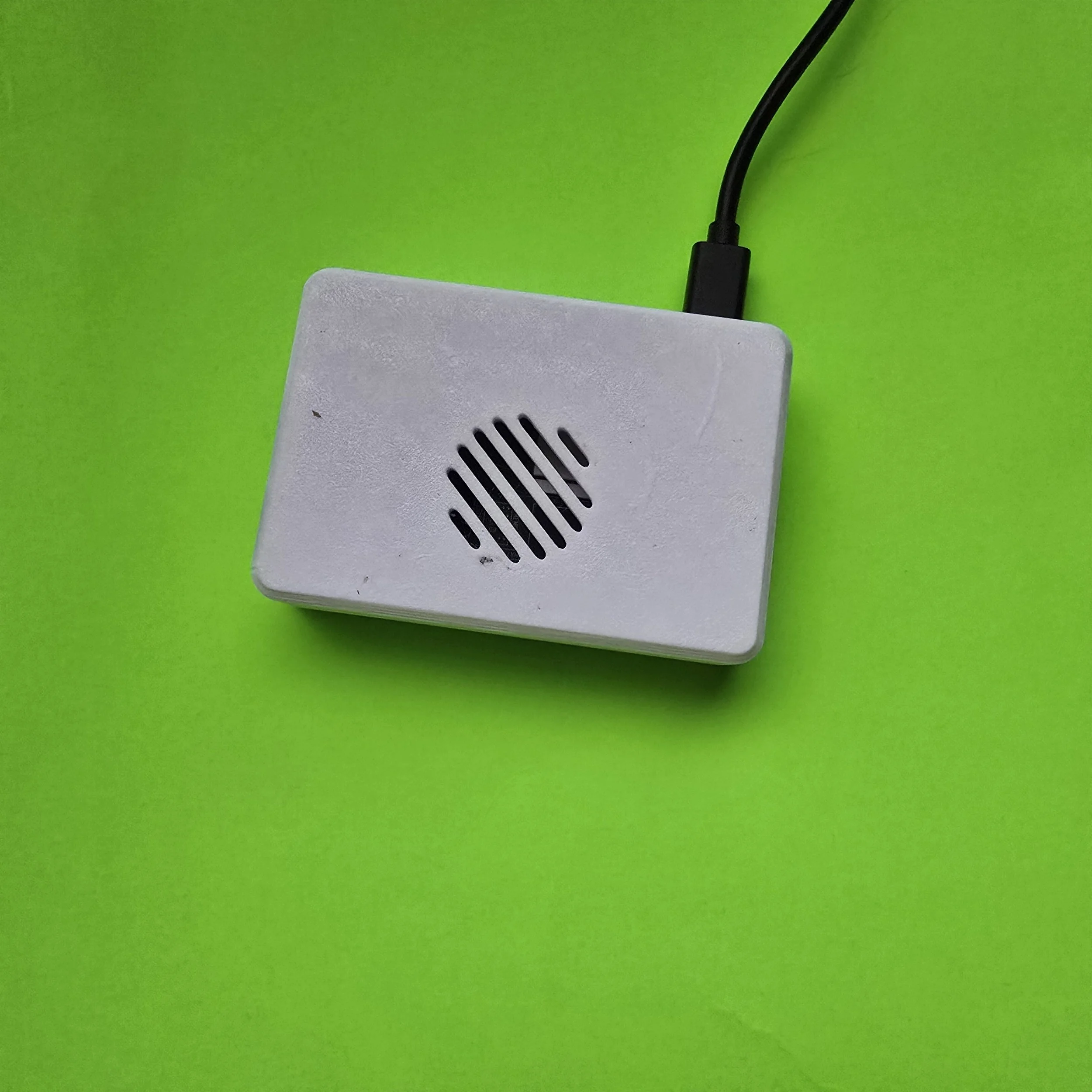 Image 1 of 11
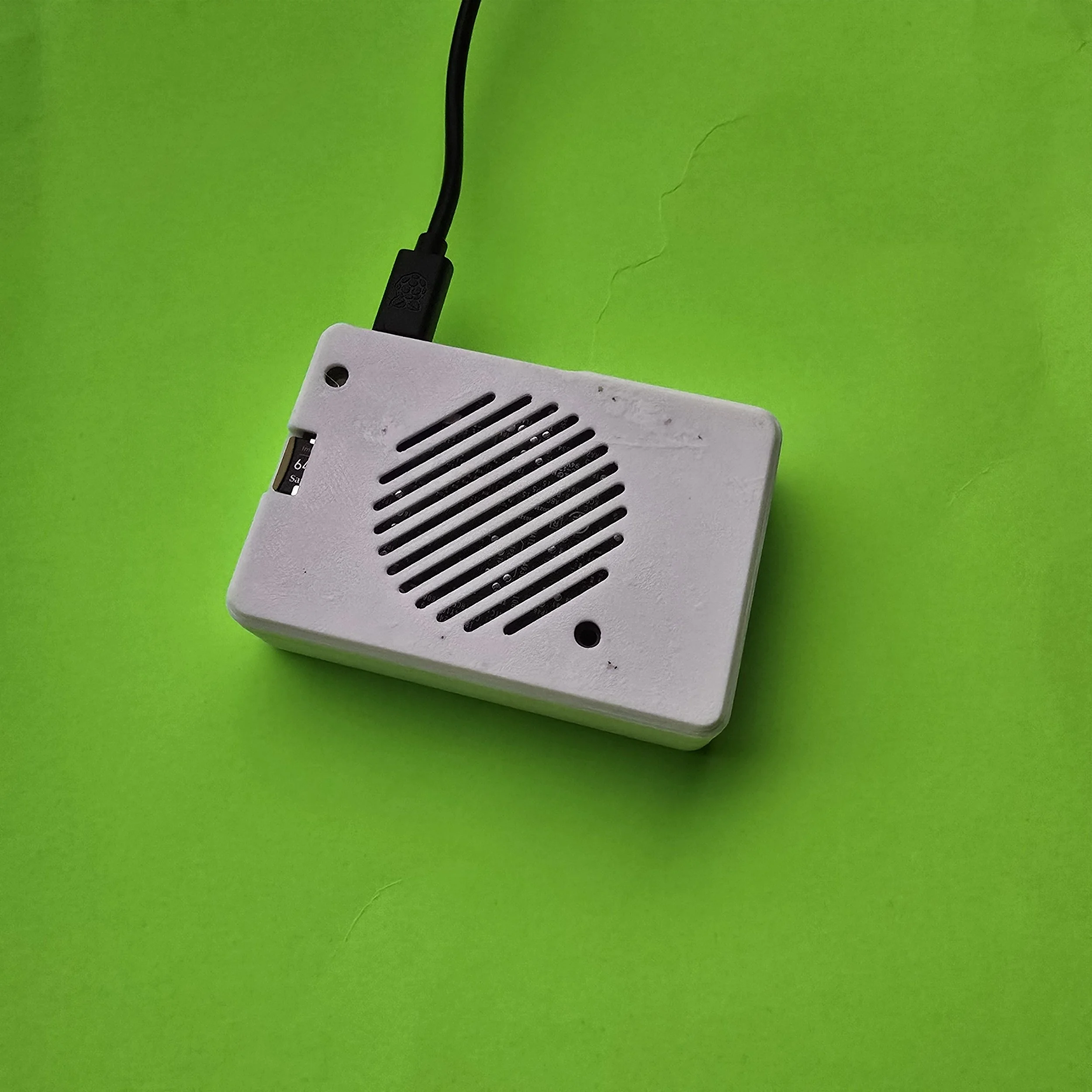 Image 2 of 11
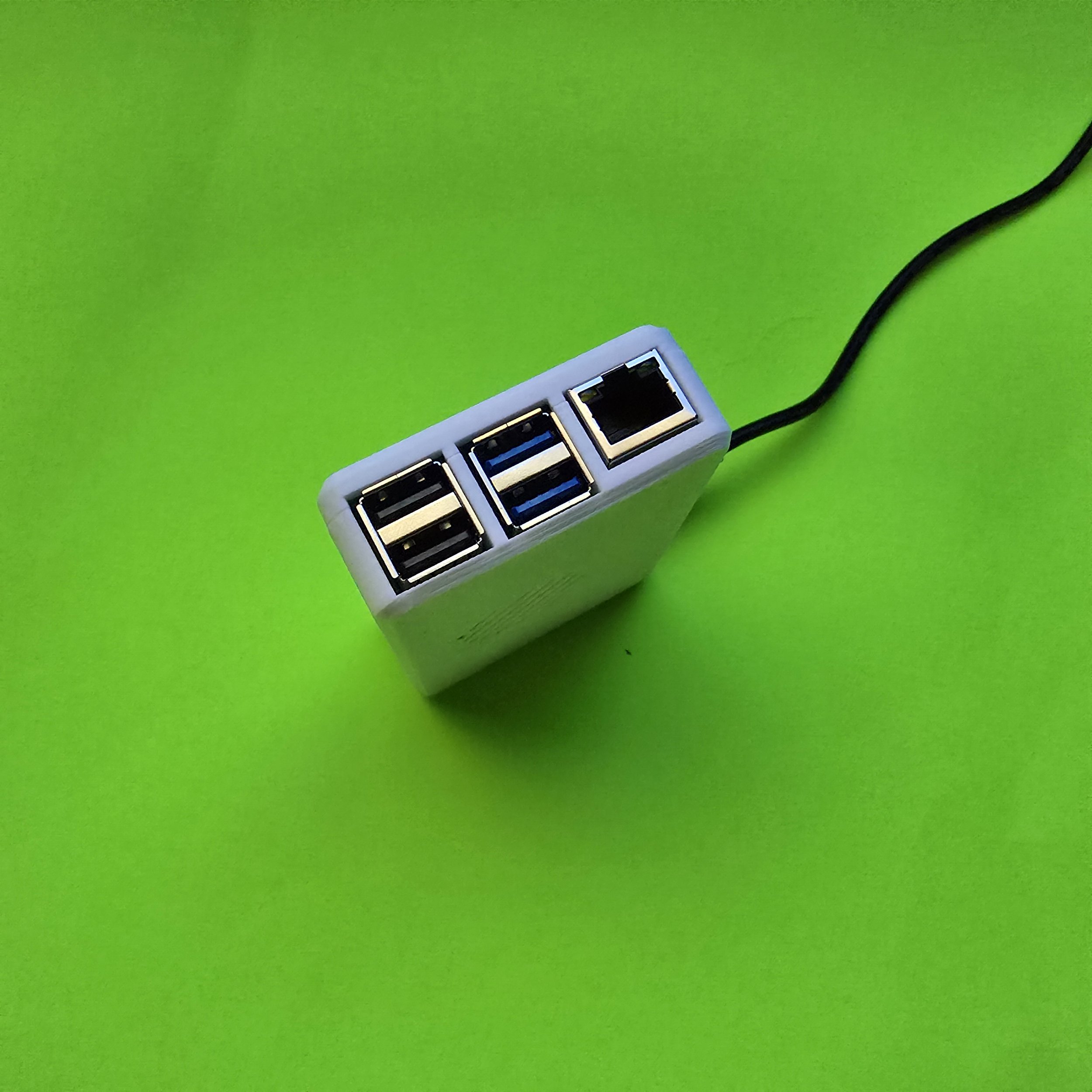 Image 3 of 11
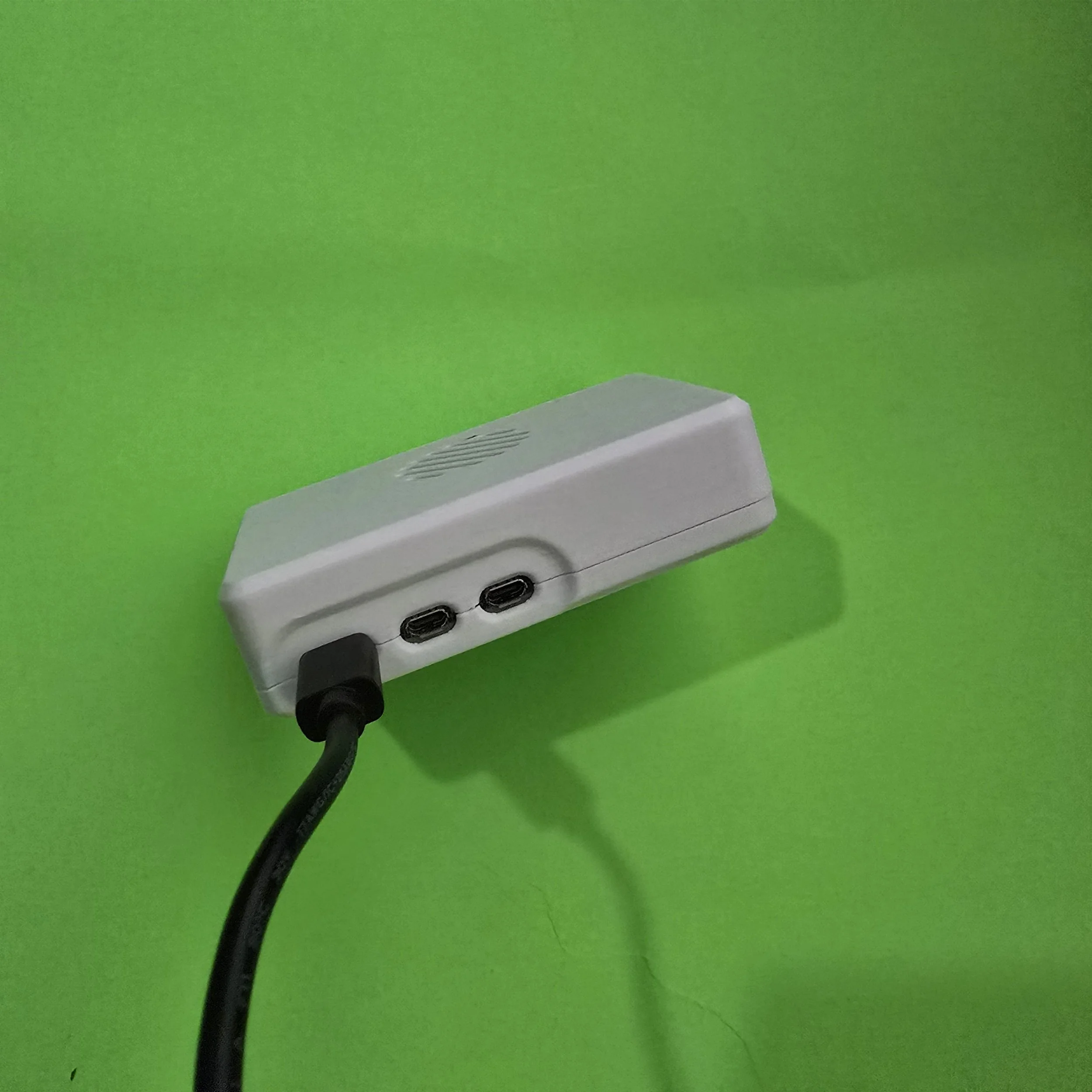 Image 4 of 11
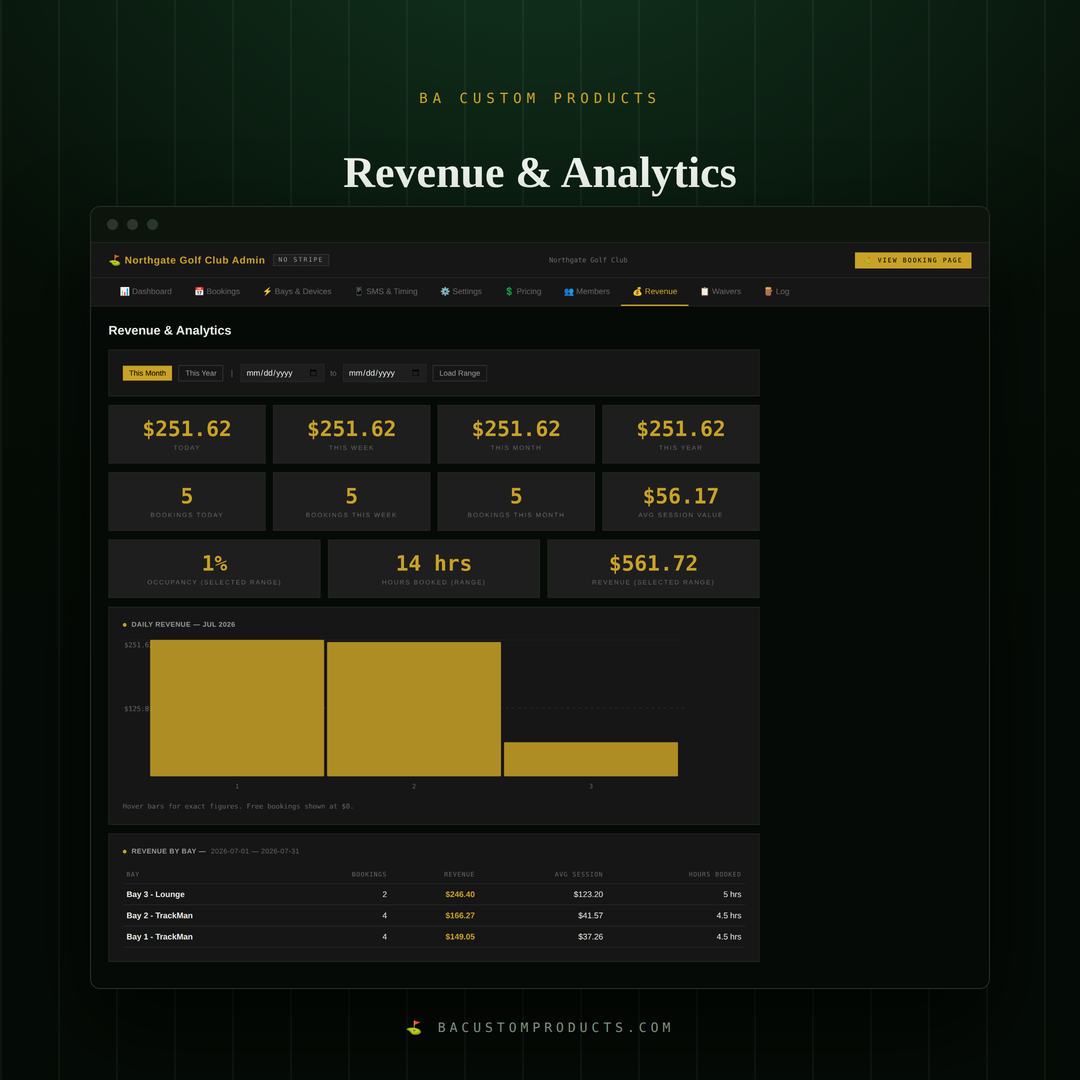 Image 5 of 11
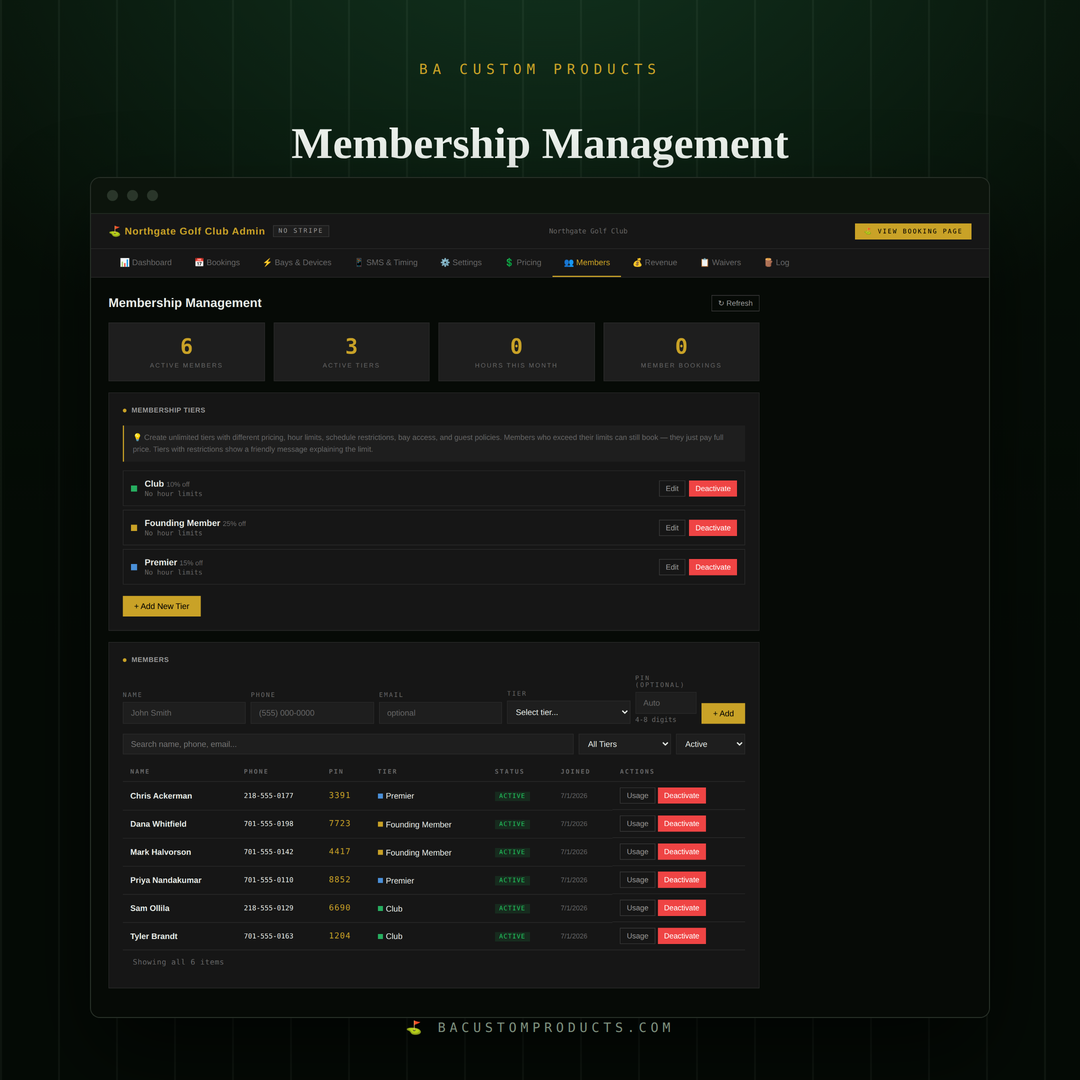 Image 6 of 11
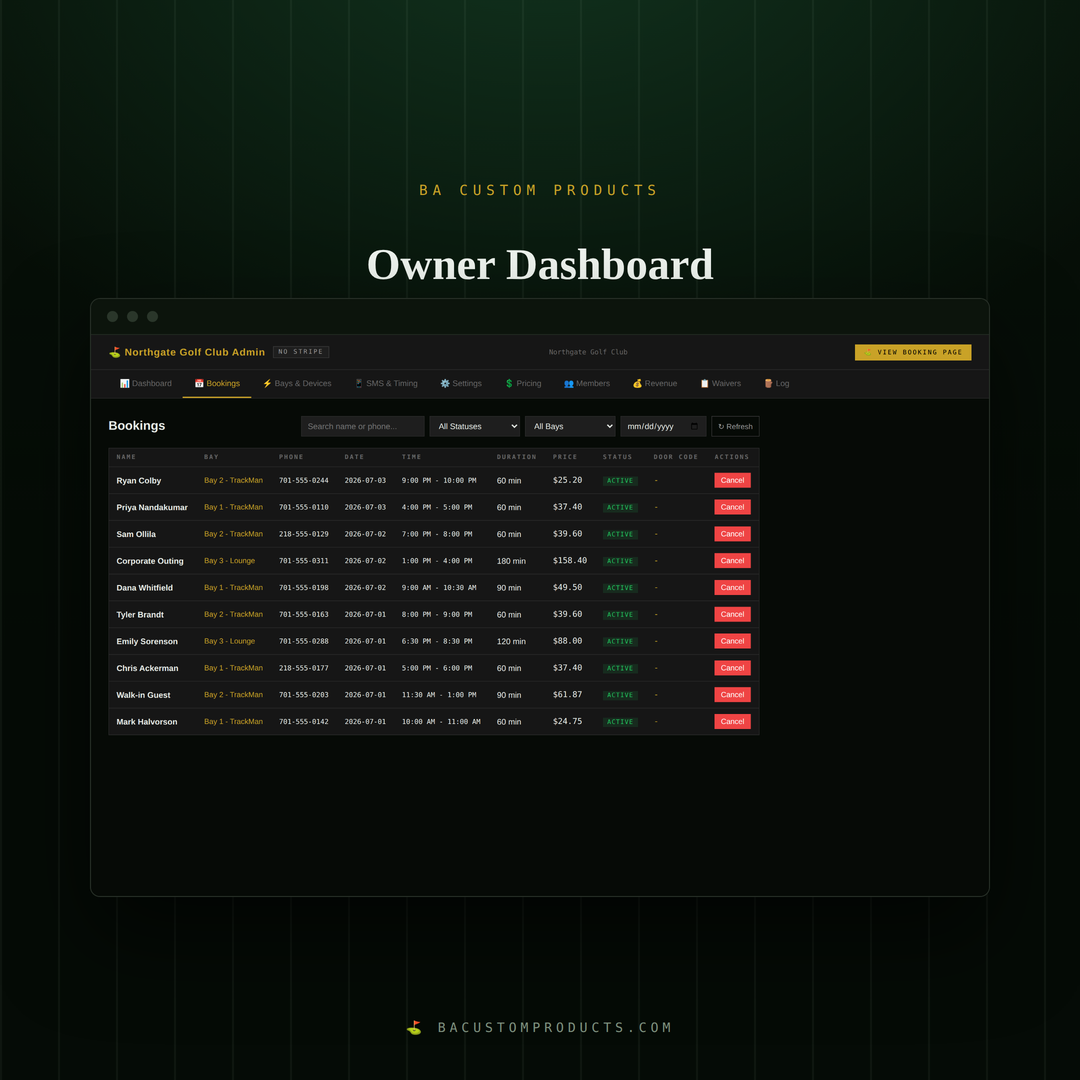 Image 7 of 11
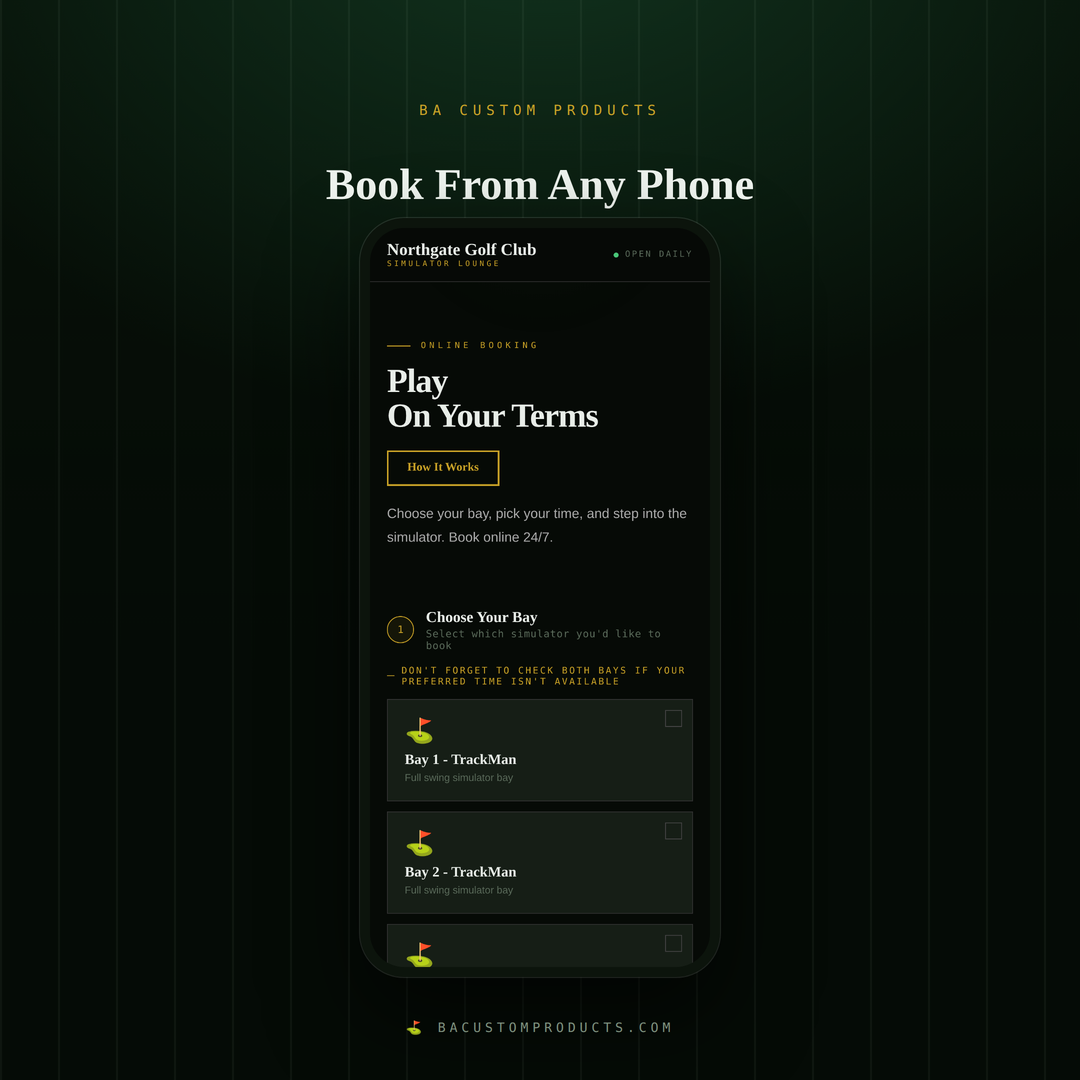 Image 8 of 11
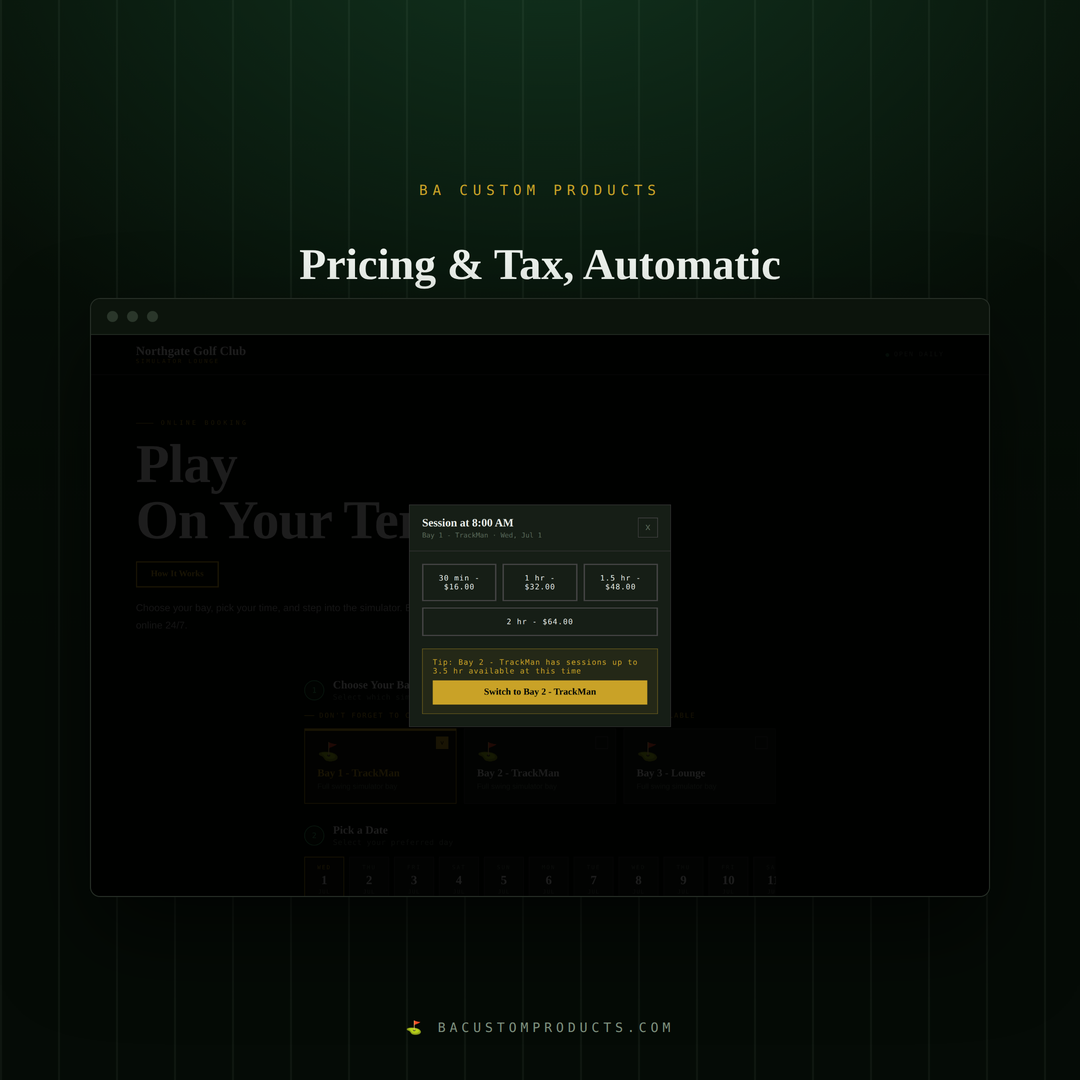 Image 9 of 11
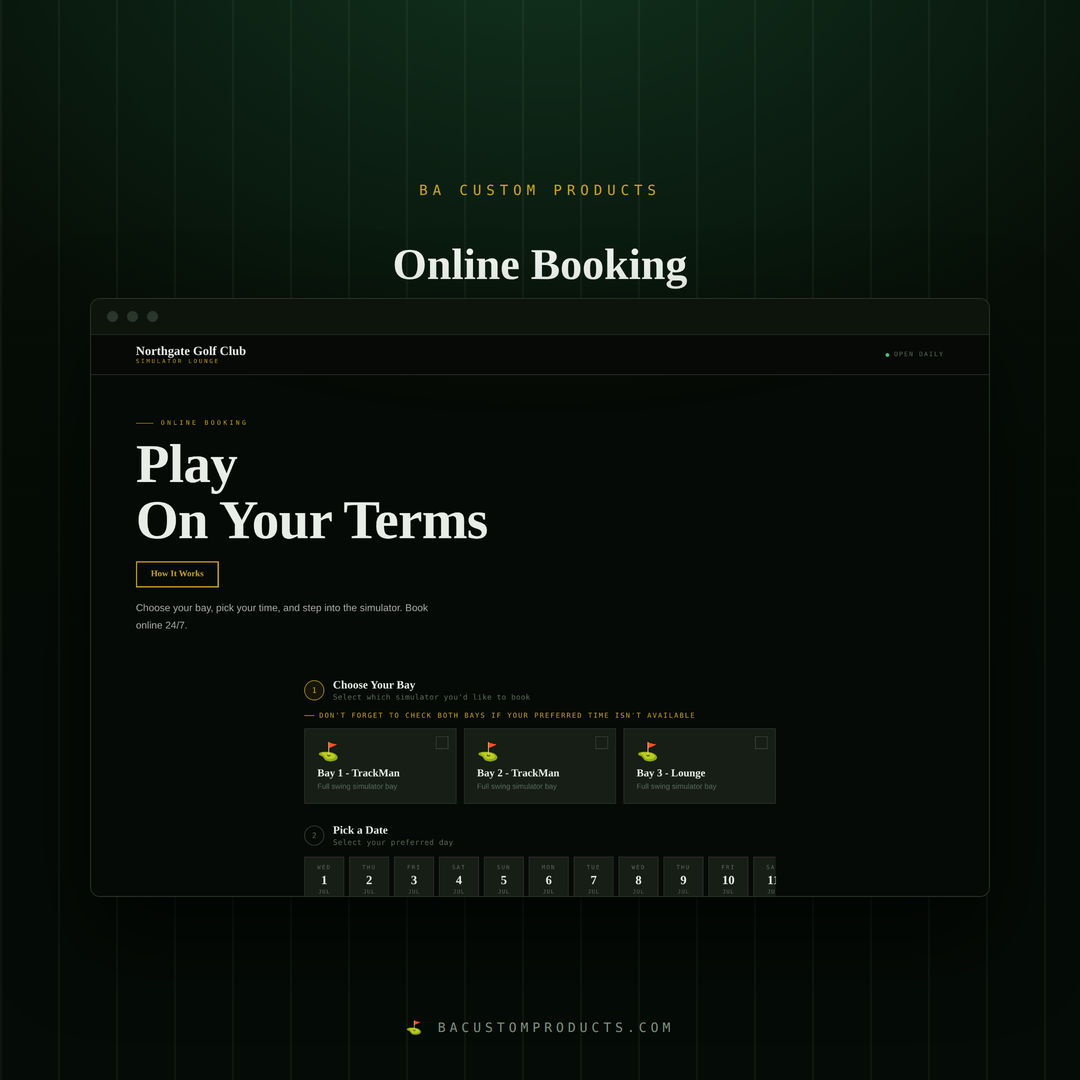 Image 10 of 11
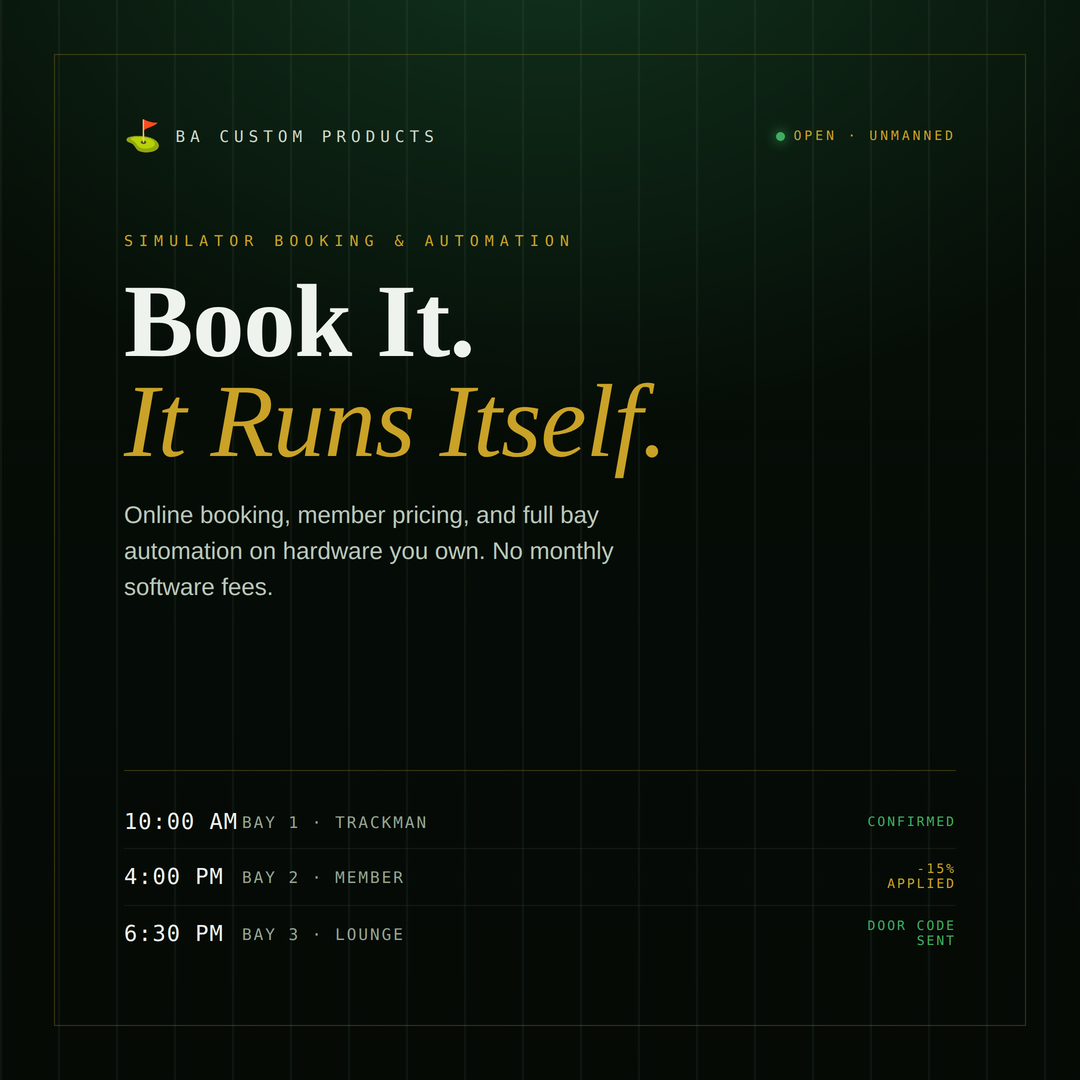 Image 11 of 11